
Unofficial community client
Proton Drive on the Linux desktop.
Your files as a folder that downloads on demand, synced local folders, Photos, sharing, and a native GTK4 app with tray and search launcher, plus a scriptable CLI.
End-to-end encrypted
Encrypted with your Proton keys before anything leaves the machine.
Native GTK4 app
Built with GTK4 and libadwaita, written in Rust.
8 languages
English, German, Spanish, French, Italian, Dutch, Polish and Brazilian Portuguese.
MIT licensed
Every line is on GitHub. Bug reports, translations and patches are welcome.
Features
Everything you use Proton Drive for
Files, Photos and sharing, built into the Linux desktop and every program on it.
Your Drive as a folder
~/ProtonDriveworks with every program. Files download when they are opened, a block at a time, so a video starts playing and a large archive can be read without fetching all of it.Available offline
Keep chosen files and folders fully downloaded. Everything else is cached within a size limit you set.
Synced folders
Back up folders such as
~/Documentsas a full two-way copy or online only, with ignore rules, conflict copies instead of overwrites, pause and bandwidth limits.Safe writes
Changes are staged on disk and queued before they are acknowledged, so they survive a lost connection, a crash or a reboot and upload when they can.
Photos
Timeline with favorites, albums and Places on a map. RAW+JPEG pairs show as one photo, with a duplicate finder, slideshow and import from Google Photos Takeout.
Sharing
Invite people as viewer, editor or admin, create public links with a password and expiry date, and accept invitations.
Tray and search launcher
Status, pause and quick actions in the tray.
pdfs-promptsearches Proton Drive and your home folder together, in its own window, through fuzzel, rofi or wofi, or live in fzf.Scriptable command line
About 55
pdfscommands cover files, sync, sharing, Photos, Trash, versions and diagnostics. Query commands print JSON with--json.
Screenshots
A closer look
Screenshots of the desktop app and the search launcher.
Photos timeline
Places on a mapMap data © OpenStreetMap contributors, GeoNames, Natural Earth
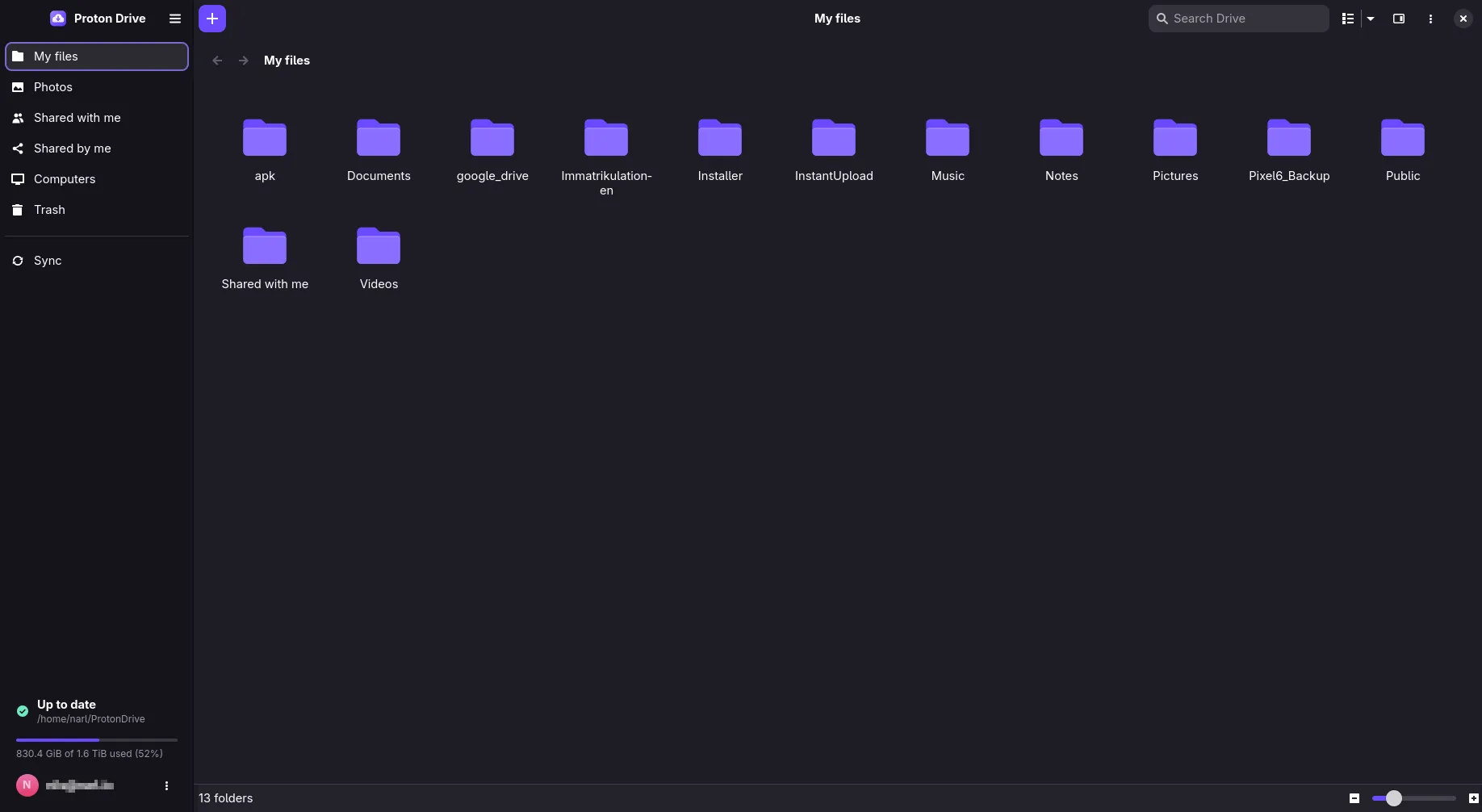
My files
Sync
Sync history with resolved conflicts
Computers
Search launcher
Search launcher in fzf
Sign in
How it works
A background service holds your session, mounts ~/ProtonDrive through FUSE, runs the upload queue and the sync engine, and follows Proton’s event stream for changes made elsewhere.
One service, many front ends
The app, the tray, the launcher and the CLI all talk to the same service, so they always show the same state.
Encrypted before upload
Everything is encrypted with your Proton keys through a Rust implementation of Proton’s Drive SDK before it leaves the machine.
Honest about the trade-offs
Files you open are decrypted into a local cache so programs can read them. The threat model explains what that means.
Install
Install
Packages for x86_64 come with every release. Other architectures build from source.
Ubuntu 24.04 or newer. Download the .deb from the latest release, then:
sudo apt install ./proton-drive-linux_*_amd64.debFedora 44 or newer. Download the signed .rpm from the latest release, then:
sudo dnf install ./proton-drive-linux-*.x86_64.rpmFrom the AUR, also available as -bin and -git:
paru -S proton-drive-for-linuxRust 1.96 or newer plus the GTK4, libadwaita, WebKitGTK 6, libsecret and FUSE 3 development packages.
git clone https://github.com/narrrl/proton-drive-linux.gitcd proton-drive-linuxcargo build --release --lockedThen open Proton Drive from your applications menu and sign in. The app starts the background service, and your files appear in ~/ProtonDrive.
Prefer a terminal? pdfs login stores the session, then enable the service once:
pdfs loginsystemctl --user enable --now proton-drive.servicepdfs statusNeeds FUSE 3, GTK 4.12 with libadwaita 1.5, and a keyring such as GNOME Keyring, KWallet or KeePassXC.
Open source, built in the open
Proton Drive for Linux is a community project. Try it with data you have another copy of first, and read what survives a lost machine before you rely on it.